Hello,
Thanks for reaching out! You have some Display Rules for the popup set up that will result in the popup not displaying anywhere. It looks like you set up some rules based on "Region", however that selection is not referring to a geographic region (like Europe, Americas, etc as you were trying to set up). Region refers to state or province instead, like California in the United States for example.
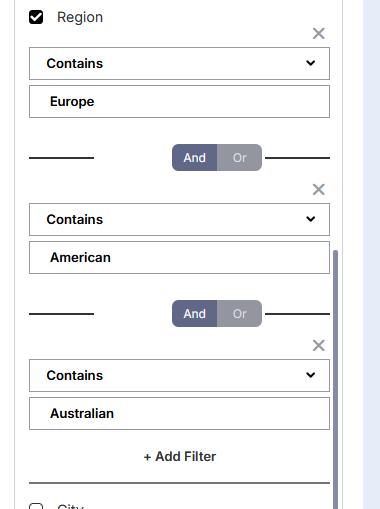
Since region does not refer to geographic region in the manner you meant, basically no visitor would qualify to match the Display Rules used, so it was not appearing for anybody. I removed the Display Rules for now, and the popup is now appearing normally when the popup button is clicked.
You can individually add countries if you wished, though that would make for some pretty extensive Display Rules. There isn't currently a rule that will show or hide a popup on a continent level. If there were just a handful of countries that you wanted to exclude, you could also alternatively add some "Doesn't Contain" rules instead. Also note that Display Rules on the popup will only hide the popup (not the button), so if you add excluded countries they will still see the button, they just would not see the popup when the button is clicked.
Hope that helps!